
Introducing Builder Passport visibility controls
Choose what the world sees: public Passport, members-only, or private. Discovery without exposing everything.
Africoders is private by default for community activity. Passports now make visibility an explicit choice — so you can ship proof for recruiting without turning every discussion into a public feed. Control is part of professionalism.
Visibility controls let you participate in a private-by-default community while still running a public Earn surface when you want inbound roles. That split is intentional product design, not an afterthought.
What you can choose
- Public — discoverable for recruiting and SEO when you opt in
- Members — visible to signed-in builders
- Private — only you (and relevant privileged flows)
Public — discoverable for recruiting and SEO when you opt in. Members — visible to signed-in builders. Private — only you (and relevant privileged flows). Choose based on whether you want inbound discovery this quarter, not based on default anxiety.
Revisit the setting when you start or stop a job search. Stale public “open to work” signals create awkward recruiter threads; stale private settings hide proof you meant to share.
Public for recruiting and SEO when you opt in; members for signed-in builders; private when you are not ready. Choose on purpose.
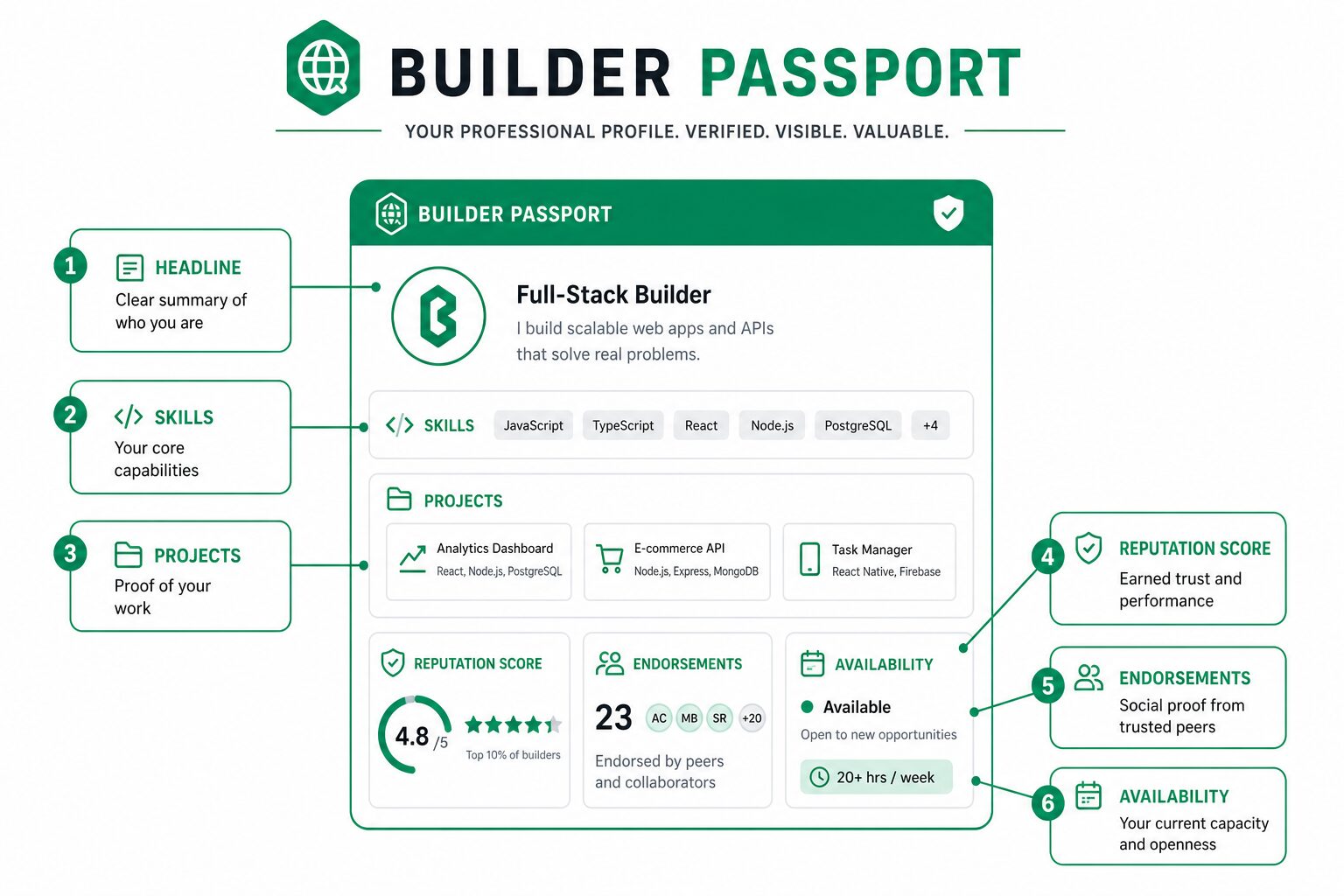
Why it matters
You can ship proof without exposing private member conversations. Marketing stays public; membership stays intentional. Visibility is a professional setting. Set it with intention, then feature your best work.
Takeaway: Visibility is a professional setting. Set it with intention, then feature your best work.
What to do next
Review your settings, feature your best projects, and keep sensitive work private until you are ready. Revisit after job searches or role changes. Pair the settings pass with a demo reliability check.
Pair the settings review with featuring two reliable demos and archiving anything that fails a private-window check. Visibility without reliability still fails discovery.
Revisit settings after job searches or role changes. Feature your best projects and keep sensitive work private until approved.
How recruiters experience it
They evaluate what you chose to publish. Incomplete public Passports look unfinished; intentional members-only profiles with strong artifacts still convert when you apply to opportunities. Execution Reputation still depends on finished work either way.
Incomplete public Passports look unfinished. Intentional members-only profiles with strong artifacts still convert when you apply with links.
Safety tips
Do not publish employer secrets. Sanitize metrics. Prefer personal projects and approved open-source when employed. Building in public while keeping a day job requires boundaries as much as demos.
Practically, block ninety minutes this week to move this forward with a visible artifact. Write definition of done in three bullets, ship a thin slice, and link it on your Builder Passport before you browse more content. Collaborators and recruiters across African time zones evaluate what they can open — not what you intend to build later.
Closing
Control is part of professionalism. Set visibility with intention — open Passport settings today and align them with whether you want inbound discovery this quarter. Open Passport settings today, align them with whether you want inbound discovery this quarter, and feature two demos that survive a private-window click.
Related reading
View all